
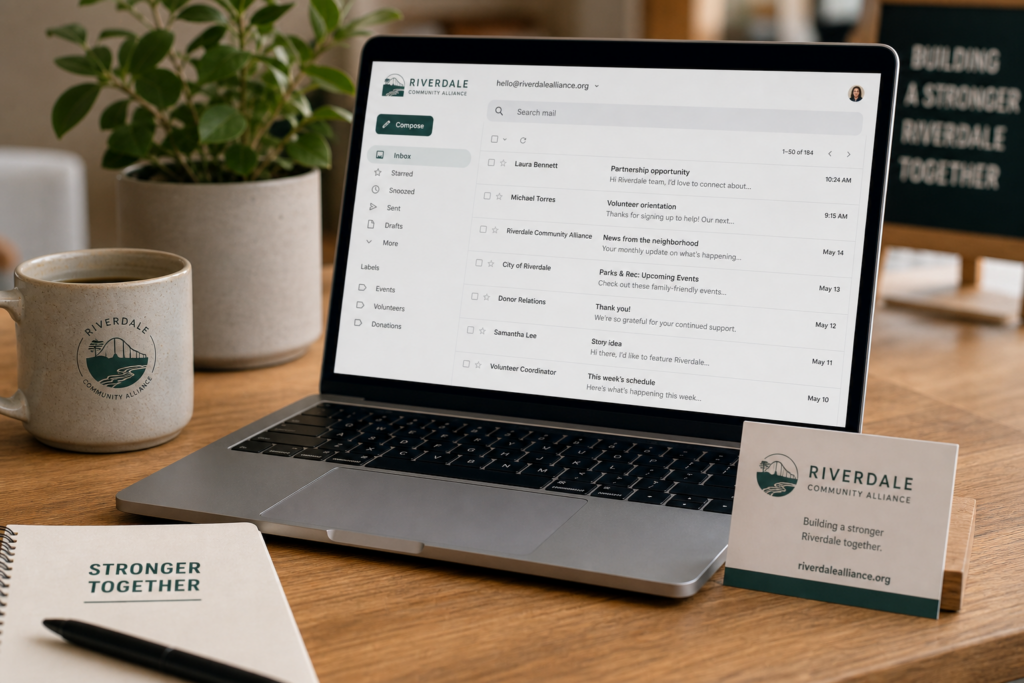
If you already own a domain name, one of the next questions is simple: should you use that domain for email too?
For most small businesses, nonprofits, churches, ministries, and local organizations, the answer is yes. A professional email address helps people trust you, remember you, and take your organization more seriously.
A domain gives your organization a home online. Professional email helps you use that home in everyday communication.
What Is Professional Email?
Professional email is an email address that uses your own domain name instead of a free email provider.
For example, instead of using an address like yourbusiness@gmail.com, you can use hello@yourbusiness.com, info@yourchurch.org, or support@yourministry.org.
The email address matches your domain, which makes your communication look more official and easier to recognize.
Why Professional Email Matters
Your email address is often one of the first things people see. It may appear on business cards, invoices, contact forms, donation pages, newsletters, and appointment reminders.
When your email matches your domain, it sends a clearer message: this is a real organization, not a temporary side project.
- It looks more trustworthy than a personal email account.
- It keeps business communication separate from personal email.
- It makes your brand easier to remember.
- It helps customers know they are contacting the right organization.
- It gives you room to create role-based addresses like billing@, support@, info@, or donations@.
Do You Need Professional Email Before Building a Website?
You do not have to create professional email before building a website, but it is often a smart next step after registering a domain.
If you already have a domain but your website is not ready yet, professional email lets you start using the domain right away. You can communicate with customers, donors, members, vendors, or volunteers while your website is still being planned.
This is especially helpful for new organizations. You can register your domain, create professional email, and then build your website when you are ready.
Can You Keep Using Gmail or Another Free Email Account?
You can, but it may not be the best long-term choice for your organization.
Free email accounts are fine for personal use. They are also common when a business or ministry is just getting started. But as soon as you want people to trust the organization, a domain-based email address is usually better.
If you are wondering whether you can connect Gmail to your domain name, read Can I Use Gmail With My Domain Name? for a full breakdown of your options.
Think of professional email as part of your public identity. Your domain name, website, and email should work together.
When Professional Email Is Especially Important
Professional email becomes more important when people are being asked to trust you with money, private information, appointments, donations, or ongoing communication.
- A local service business sending quotes or invoices
- A church or ministry receiving prayer requests or donations
- A nonprofit communicating with donors or volunteers
- A consultant or freelancer communicating with clients
- A website owner setting up contact forms or customer support
Churches and ministries in particular benefit from having a consistent, reliable email address. If your email has gone down before, read Why Your Church Email Keeps Bouncing to understand what usually causes it and how to prevent it.
Professional Email or Microsoft 365?
Some organizations only need a simple domain-based email address. Others need a larger productivity suite with tools for documents, calendars, meetings, and team collaboration.
If you mainly need a clean email address that matches your domain, Professional Email starting at $1.99 per user per month is the simpler and more affordable choice.
If you need business email plus Microsoft Word, Excel, Teams, and OneDrive, Microsoft 365 starting at $5.99 per user per month is the better fit.
What Comes After Professional Email?
The usual path is straightforward:
- Register your domain.
- Create professional email.
- Start your WordPress website.
- Protect your website with security.
- Back up your website.
You do not need to do everything in one day. The point is to build a simple, trustworthy foundation one step at a time.
Where to Get Help
If you are setting up email for the first time, start with the Cyber Grapes Help Center. You can also browse step-by-step guides for Professional Email, Microsoft 365, and domain setup.
DIY customers can also call 719-767-7754 for 24/7 sales and support.
The Bottom Line
If you own a domain name, professional email is one of the simplest ways to make that domain more useful. It helps your organization look more trustworthy, keeps communication organized, and prepares you for the next step: building a website that supports your customers, members, donors, or community.
Start with the basics. Get the domain. Set up professional email. Then build the website when you are ready.